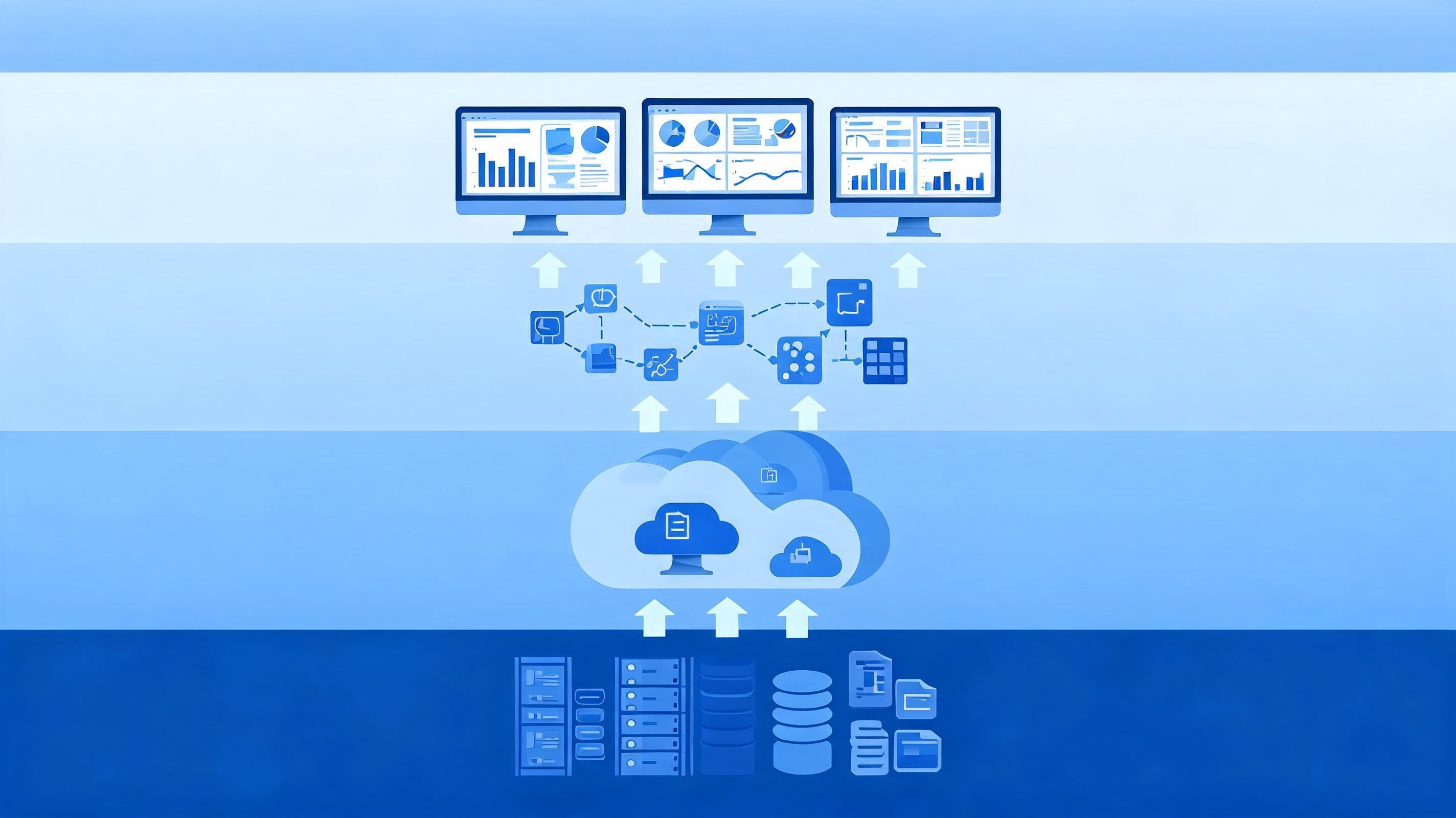

Integrating master data management with self-service BI is how you give business users the freedom to build their own reports while ensuring that everyone works with the same customer, product and branch definitions. In short: you produce master data from a single governed source and link that source to the BI tool's semantic layer as shared dimensions. Analysts work fast, but the “which number is right” debate never reaches the meeting table.
Why Should Master Data Management and Self-Service BI Be Addressed Together?
Self-service BI takes report production out of the IT team's queue. This is a powerful gain; but if master data is not managed, every department builds its own customer list, its own product hierarchy and its own region mapping. The result is dozens of dashboards giving different answers to the same question.
Master data management (MDM) solves this problem at its source. It produces a single “golden record” for critical entities such as customer, product, supplier, branch and organisation. We covered the core concepts of MDM in detail in our guide to what MDM is. This article focuses on how to carry that golden record into self-service analytics.
3 typical problems that arise without integration
- Definition conflict: For the sales team, an “active customer” is one who has transacted recently; for the risk team, it is one with an open product. Two reports show different numbers under the same heading.
- Hierarchy drift: When a branch is reassigned to another region, some reports are updated while others remain on the old structure.
- Duplicate records: When the same customer is entered through different channels with different spellings, the customer count is inflated and customer-level profitability analyses become misleading.
Integration Architecture: From Golden Record to Dashboard
In a healthy setup, data passes through four layers. Each layer has a clear owner and clear rules.
- Source systems: Core banking, ERP, CRM and channel applications produce raw records.
- MDM hub: Matching, merging and validation rules run; a golden record and a source mapping table are created for each entity.
- Data warehouse and conformed dimensions: Golden records are published as conformed dimensions shared by all data marts. For the classic definition of this concept, see Kimball's dimensional modelling techniques.
- Semantic layer and self-service BI: Business users see only approved dimensions and certified measures, and build their own analysis on this foundation.
Comparison of integration models
| Model | How does it work? | When is it suitable? |
|---|---|---|
| Registry | Data stays in the sources; MDM holds only mappings and identities. | Projects where touching source systems is difficult and a quick start is needed. |
| Consolidation | The golden record is produced centrally and published to the analytics side. | Self-service BI projects where reporting consistency is the priority. |
| Coexistence | The hub and the sources synchronise with each other. | Organisations where operational systems also need clean data. |
| Centralised | Master data is created and distributed only in MDM. | Structures with strong data ownership and mature governance processes. |
For a first phase focused on self-service BI, the consolidation model is often the most balanced starting point. It establishes a single correct definition on the reporting side without changing source systems, and it does not prevent a later move to the coexistence model.
Step-by-Step Implementation Plan
1. Select critical entities and user questions
Tackling all master data at once slows the project down. Start with the 1 or 2 entities that generate the most reports and the most debate; in banking these are usually customer and branch/organisation. List the questions business units ask most often and mark which fields those questions rely on.
2. Put shared definitions in writing
Record concepts such as “active customer”, “new customer” and “segment” in the business glossary. Give every definition an owner. Whoever has the authority to change a definition must also approve the publication of any change to it.
3. Set up matching and quality rules
Define matching rules using fields such as national ID number, tax number, phone and address. Let exact matches merge automatically and suspicious matches fall into the data steward's approval queue. Plan the measurement and alerting mechanisms of the data management process for tracking the quality score from the outset.
4. Connect conformed dimensions to the semantic layer
Publish golden records as certified datasets in the BI tool. Users should no longer need to rebuild the customer dimension from their own Excel lists. A user who wants to add their own data should relate it via the shared key.
5. Apply authorisation and KVKK rules
Self-service access does not mean unlimited access to personal data. Define row- and column-level security, masking and role-based access rules in the semantic layer. That way analysts can perform aggregate analysis but cannot see identity details they are not authorised to view.
6. Measure usage and set up a feedback loop
Track which certified datasets are being used and which reports still run on their own lists. Open a channel where users can report data errors they spot with a single click; these reports should go straight to the data steward.
Common Obstacles and How to Overcome Them
Master data management and self-service BI projects slow down for organisational rather than technical reasons. The obstacles below appear in some form in almost every organisation.
- The “our definition is different” objection: Departments may not want to give up their own definitions. Rather than imposing a single definition, the solution is to keep different needs alive in the semantic layer as separate, named measures. For example, “active customer from a sales perspective” and “active customer from a risk perspective” can be two separate, documented measures.
- No data steward in place: If the owner of master data is unclear, approval queues pile up. For each entity, an owner from the business unit and a technical lead from IT should be assigned.
- Cleaning historical data: Cleaning up duplicate records accumulated over the years in one go is not realistic. It is more sustainable to first protect new entries with rules and then address historical records in waves, in order of priority.
- Persistent shadow reports: Users may keep using reports built on old lists. Visibly flagging certified datasets and retiring old sources on a planned schedule speeds up this transition.
How do you measure success?
When choosing metrics, track technical indicators together with business indicators. The share of source records linked to a golden record, the suspicious matches waiting in the approval queue and how often certified datasets are used show the technical side. On the business side, the real gain shows in fewer reports displaying different figures for the same KPI and fewer tickets opened with IT for report requests.
Project Kick-off Checklist
- Are the in-scope master data entities and their owners defined?
- Does the business glossary contain approved definitions for at least the core concepts?
- Have the matching rules and the manual approval flow been designed?
- Are conformed dimensions used with the same key across all data marts?
- Are masking and access rules ready for fields within the scope of KVKK?
- Is there a “certified data” label and a short usage guide for users?
The BIART Bilişim Perspective
Our experience in enterprise projects shows that the success of self-service BI is determined not by the tool's capabilities but by the reliability of the master data underneath. When users see an inconsistent number in the first week, they lose trust and return to their old Excel habits. That is why we recommend first building a narrow-scope but reliable golden record and then expanding the scope step by step.
With our technology-independent approach, we design the MDM and self-service analytics layers together while preserving your existing infrastructure. Linking data from sources such as SAP, Logo and Netsis to a single definition gives every user the same foundation, from regulatory reporting to daily sales analysis.
If you would like to clarify your master data and self-service BI roadmap together, let's work together on your project. Get in touch.
Frequently asked questions
Why is master data management necessary for self-service BI?
Self-service BI gives users the ability to build their own reports. If master data is not managed, every department sets up its own customer and product definitions, and the same question yields different answers. MDM produces a single golden record so that all reports rest on the same definition.
Which data entity should an MDM project start with?
Starting with the entity that generates the most reports and the most debate is the most efficient route. In banking and insurance this is usually customer and branch or organisational structure; in manufacturing, product and supplier come to the fore.
Can self-service BI users access personal data?
Only to the extent of their permissions. Row- and column-level security, masking and role-based access are defined in the semantic layer. That way users can perform aggregate analysis but cannot see identity details they are not authorised to view; this is also required for KVKK compliance.
Which MDM integration model is suitable for self-service BI?
For the first phase, the consolidation model is often the most balanced option. The golden record is produced centrally and published to the analytics side; no changes are needed in source systems. When operational systems also need clean data, you can move to the coexistence model.
Do we need to replace our existing BI tool?
Usually not. MDM and conformed dimensions are built independently of the tool; golden records are linked to the existing BI tool's semantic layer as certified datasets. A technology-independent architecture does not make a tool change mandatory.