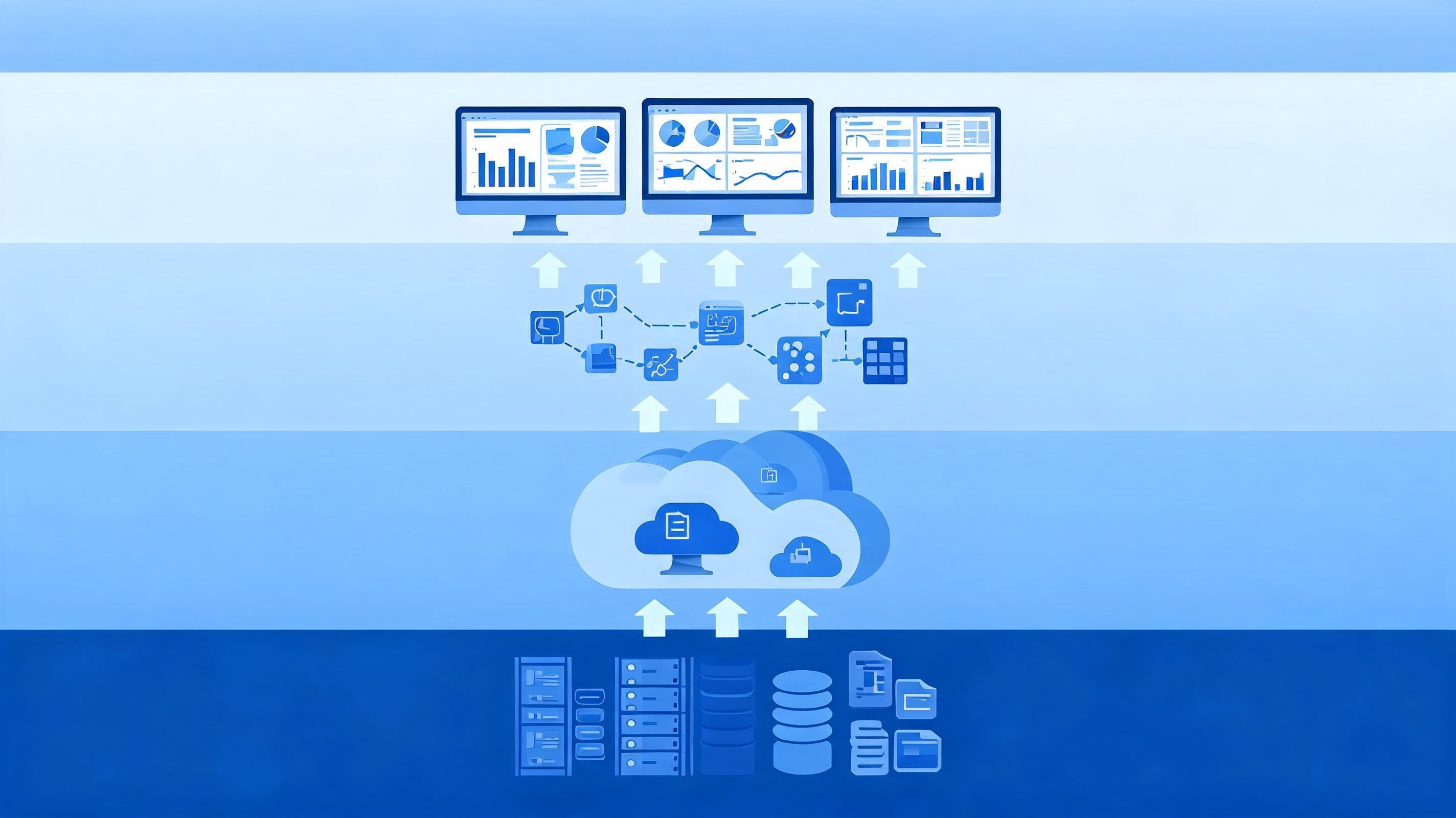

BI as a Service means consuming your business intelligence infrastructure as a cloud service. In traditional BI, the servers, licenses and maintenance belong to the organization itself. For organizations that want to reduce infrastructure burden and scale quickly, BI as a Service is usually the more agile option. If strict data residency requirements apply, a traditional or hybrid model comes to the fore.
What is BI as a Service?
BI as a Service is a model in which the data warehouse, data integration (ETL/ELT), analytics engine and reporting tools are operated by a cloud provider or a service partner. The organization buys no hardware and does not deal with patching and backup processes. The focus shifts to creating value from data.
For the definition of cloud service models, the NIST SP 800-145 definition of cloud computing is a good reference. This model is based on infrastructure delivered on a usage basis that can grow and shrink as needed. For enterprise-scale implementation, the architecture of your cloud solutions (AWS, Azure, GCP) must be designed correctly from the start.
How does traditional BI work?
In traditional BI, the data warehouse, ETL servers and reporting platform run in the organization's own data center. Licenses, hardware and the operations team belong to the organization. Banks and public institutions have used this setup for years and still keep their critical workloads on it.
Strengths
- Full control: The data, network and access layers are in the organization's hands.
- Predictable performance: Resources are dedicated and not shared with other tenants.
- On-premises data: Workloads with data residency constraints are easy to manage.
Weaknesses
- High upfront investment: Hardware and licenses are purchased at the very beginning.
- Slow scaling: Increasing capacity requires procurement and installation.
- Maintenance burden: Patching, backups and version upgrades are left to the in-house team.
- Slow adaptation to new needs: Adding a new data source or a new analytics method can take a long time.
BI as a Service vs. traditional BI comparison
| Criterion | Traditional BI | BI as a Service |
|---|---|---|
| Cost model | High upfront investment (CAPEX) | Usage-based expense (OPEX) |
| Scalability | Depends on hardware procurement | Flexible as needed |
| Deployment | Long setup process | Shorter start |
| Maintenance | In-house team is responsible | Shared with the provider |
| Data control | Full, on-premises | Depends on architecture and contract |
| Pace of innovation | Tied to the release cycle | New features arrive quickly |
Cost model: CAPEX or OPEX?
In traditional BI, cost is incurred upfront as an investment; you keep paying for capacity even when usage stays low. With BI as a Service, payment depends on usage. This is an advantage especially for seasonal workloads (month-end closing, campaign periods).
Still, cost in the cloud does not fall on its own. Uncontrolled queries and resources that are always on can inflate the bill. Therefore, the following practices are recommended:
- Classify workloads by criticality and frequency of use.
- Define policies that automatically stop unused resources.
- Set up budget alerts and per-unit cost reporting.
- Compare total cost of ownership (TCO) using a projection of at least three years.
Security and KVKK compliance
In regulated sectors such as banking, insurance and the public sector, the real question is not "cloud or on-premises" but "where is the data and who controls it". For the processing and transfer of personal data, the regulations of the Personal Data Protection Authority (KVKK) should be taken as the basis. Each organization's sector-specific regulatory requirements should also be verified with its legal and compliance teams.
At a minimum, the following should be addressed when designing BI as a Service:
- Data classification and masking (for personal and sensitive data)
- Role-based access and detailed audit logs
- Encryption in transit and at rest
- Data residency and provider contract terms
- Data lineage and trust layer; see our guide to data lineage and data trust on the topic
Integration and existing infrastructure
In large organizations, starting from scratch is rarely possible. ERP systems such as SAP, Logo and Netsis, and Kafka-based streaming architectures, often stay in place. The question to ask when choosing BI as a Service is how seamlessly it can work with these systems.
BIART Bilişim works with a technology-agnostic approach; that is, it aims to build an architecture suited to the existing infrastructure without being tied to a particular vendor. For details, you can review our business intelligence services page. For teams that want secure and governed reporting, a self-service analytics approach is also a natural part of this model. For the official documentation of platforms such as Power BI on the tooling side, you can use the Microsoft Power BI documentation.
Questions to ask when deciding
Choosing a model is a business decision before it is a technical preference. Answering the following questions before going to the board or the IT steering committee makes the discussion concrete:
- Which data can move to the cloud? Customer identity data, transaction data and aggregated report data do not carry the same risk. A data inventory should be prepared first.
- How variable is the workload? If demand fluctuates, the flexibility of the cloud creates value; if it is stable, a traditional setup may remain more economical.
- What is the capacity of the in-house team? If the team assigned to infrastructure operations can be shifted to other work, BI as a Service delivers efficiency.
- What is the level of data quality? Without a strong data management foundation, trust in reports stays low whichever model is chosen.
- Is there an exit strategy? The possibility of switching providers should be considered from the start, and data formats and contract terms chosen accordingly.
Field observations: common mistakes
The experience of teams carrying out BI modernization in banking and large-scale enterprise projects shows that most mistakes come from preparation, not technology. The most common situations are:
- Skipping data quality: Moving bad data to the cloud does not solve the problem, it only multiplies it faster. Data quality and master data management (MDM) should be addressed first.
- Leaving governance for last: If who accesses which data is not defined from the start, self-service reporting quickly turns into an audit risk.
- Leaving cost ownership unclear: If it is not clear which unit is responsible for the cost of which query, the cloud bill becomes unpredictable.
- Moving all reports at once: Migrating without cleaning up unused reports creates unnecessary workload.
- Over-committing to a provider: If open formats and a portable architecture are not chosen, exit becomes difficult later. A technology-agnostic design reduces this risk.
Example scenarios
Scenario 1, bank risk reporting: Regulatory reports require intensive computation in certain periods. This workload can be temporarily scaled up in the cloud and then scaled back down; customer identity data, meanwhile, can be kept on-premises and transferred to the analytics environment in masked form. The result is a hybrid structure.
Scenario 2, manufacturing company: The goal is to combine ERP data and field sensor data to monitor production efficiency. Because data volume changes constantly, a scalable cloud data platform and the BI as a Service model are more suitable.
Scenario 3, public institution: Data residency and access rules are very strict. Traditional BI or an in-house private cloud comes to the fore; modernization is done by improving the existing setup step by step.
For examples of similar enterprise projects, see our references page.
Which model suits which organization?
There is no single right answer. The following summary can help you decide:
- Traditional BI may be suitable: Organizations with very strict data residency constraints, a stable workload and a strong in-house operations team.
- BI as a Service may be suitable: Organizations that need to scale quickly, add new data sources often and want to reduce infrastructure burden.
- A hybrid model may be suitable: Organizations that want to keep sensitive data on-premises and run analytics and experimental workloads in the cloud.
Step-by-step migration roadmap
- Current state analysis: Inventory data sources, reports, licenses and the number of users.
- Regulatory assessment: Determine with the compliance teams which data can move to the cloud.
- Pilot selection: Start with a business area that has low risk and visible value.
- Architecture and security design: Define access, encryption, masking and monitoring rules in advance.
- Gradual migration: Move other business areas step by step based on the pilot results.
- Measurement and optimization: Monitor cost, performance and usage metrics regularly.
Conclusion
BI as a Service offers agility, scalability and low maintenance burden; traditional BI provides control and predictability. The right decision is made according to the organization's regulatory obligations, existing infrastructure and goals. To determine the right model for your organization together, Get in Touch: let's work together on your project.
Frequently asked questions
What is BI as a Service?
BI as a Service is a business intelligence model in which the data warehouse, ETL, analytics and reporting layers are delivered over the cloud as a subscription or usage-based service. The organization does not take on hardware and infrastructure maintenance.
Is BI as a Service secure for banks?
With the right architecture, yes. Data classification, encryption, access control, logging and data residency decisions should be designed according to KVKK and sector regulations. Each organization's regulatory requirements should also be verified separately.
Should traditional BI be abandoned entirely?
No. Many organizations use a hybrid model: sensitive data stays on-premises, while analytics workloads that need flexibility run in the cloud.
Does BI as a Service work with existing SAP or Kafka infrastructure?
Yes, it can work with suitable connectors and an integration layer. The integration should be designed according to the structure of the source systems.
How long does migration take?
The duration depends on data volume, the number of source systems and compliance requirements. Usually you start with a pilot business area and expand the scope based on the results.